How to Photograph Your Documents for Familieretshuset
Reviewed by Ludmila Bernowski, CEO & Co-Founder of Denmark Wedding Services. Last reviewed: November 2026. Practical, experience-based information, not legal advice — for legal questions, consult a qualified lawyer. Our Google Business Profile and reviews
Short answer: Photograph your documents with a smartphone, not a scanner. The Danish Agency of Family Law (Familieretshuset) wants every passport page in colour, including both covers and the blank pages, or both sides of an EU ID card. Lay each document flat on a plain table in a well-lit room, shoot from directly above without flash, keep all corners visible, and upload the photos in their original format: uncompressed, never pasted into Word.
On this page
- Should we scan our documents or photograph them?
- How do we take a photo that Familieretshuset accepts?
- Which photos are not accepted?
- Do we really need every passport page, even the blank ones?
- Can we use an ID card instead of a passport?
- What resolution and file format should we use?
- How do we photograph certificates, translations and apostilles?
- How do we photograph the signed forms?
- What about the EES printout for a non-EU partner?
- When should we take the photos?
- What happens if Familieretshuset asks for new photos?
- How DWS helps
- Frequently asked questions about photographing documents for Familieretshuset
Who this guide is for: Couples who are about to apply to marry in Denmark, on their own or with us, and want their passport, certificates and signed forms photographed correctly the first time, so the application is not held up by a request for new pictures.
Key points
- Familieretshuset recommends a smartphone photo rather than a scanner. Life in Denmark, the official guide for newcomers, says the same.
- Passport: every page, including the front and back covers and the blank pages, in colour and of very high quality. EU ID card: both sides.
- Shoot from directly above in even light, without flash, with all edges of the document visible.
- Not accepted: black-and-white images, images that are too bright or too dark, cropped edges, an object covering important parts, too much glare.
- Upload in the original file format. Do not compress the files and do not insert the photos into a text document.
- Forms are signed by hand, then photographed. Digital signatures are not valid unless you both apply with MitID.
Should we scan our documents or photograph them?
Photograph them. Familieretshuset writes that it recommends taking a photograph of the document or passport with a smartphone rather than using a scanner, and Life in Denmark gives the same advice. A modern phone camera records colour, security features and fine print better than most home scanners, and the file goes up exactly as the camera took it.
How do we take a photo that Familieretshuset accepts?
Familieretshuset's photo guides for passports and ID documents describe five steps. In our words:
- Light: find a well-lit room. Daylight from the side works well; avoid a lamp shining straight onto the document.
- Surface: lay the document as flat as possible on a plain background, such as a table. A dark, single-colour surface makes the edges easy to see.
- Focus and frame: focus on the centre of the document and make sure all its edges are visible. Do not crop, and keep fingers, clips and pens off the page.
- Angle: take the photo from directly above, and do not use the flash.
- Check: zoom in on the photo. All personal data must be legible and sharp; if a line is blurred or hidden by glare, take the picture again.
Familieretshuset also asks for "a few different images from different angles" of a document, to help it assess and verify it. A slightly tilted second shot shows security features such as holograms, which a straight shot cannot.
Which photos are not accepted?
Familieretshuset's photo guides show examples that will not be accepted:
| Problem | Why it fails | How to avoid it |
|---|---|---|
| Black-and-white image | Colour is required | Use the normal colour camera, no filters |
| Too bright or too dark | Data or security features cannot be read | Even light, no flash, no backlight |
| Cropped edges | The whole document must be visible | Leave a margin of table around all four corners |
| Object covering important parts | Data is hidden | Hands, clips and stickers off the document |
| Too much glare (ID cards) | Glossy surfaces reflect light | Tilt the light source away, not the camera |
Source: Familieretshuset's guides "About photos of your passport" and "About photos of your ID document" (see Sources). We describe the examples in words; the sample images on those pages belong to Familieretshuset.
Do we really need every passport page, even the blank ones?
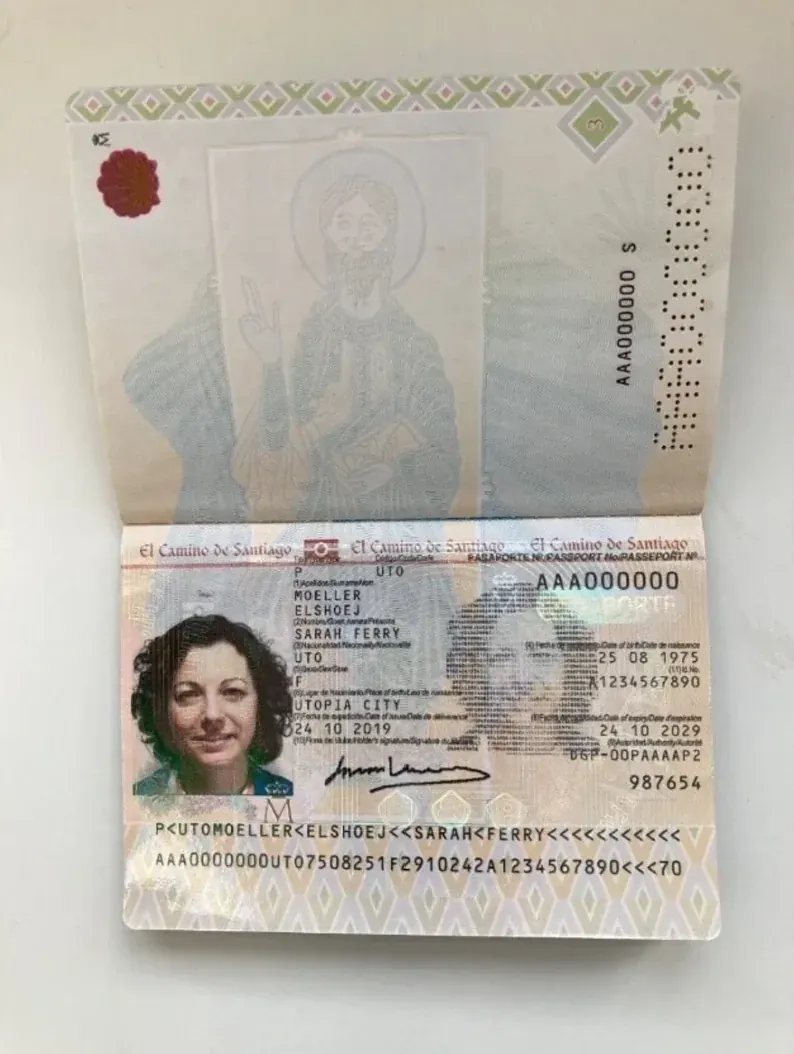
Yes. Familieretshuset requires pictures of all pages of the passport, including the front and back cover pages and any blank pages, in colour and of very high quality. Life in Denmark repeats it: all pages, even blank pages. A missing page is one of the simplest reasons for a request for more information.
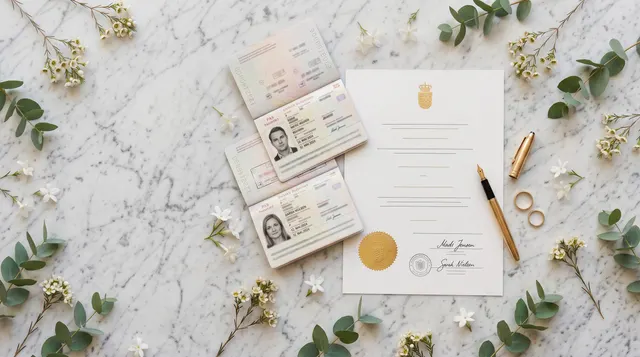
A practical way to do it: open the passport flat and photograph two facing pages in one photo, page by page, then both covers. That is how we ask for it on our upload page, and the photo at the top of this page shows the result: a specimen passport with fictitious data, two facing pages in colour, taken from directly above. Which passport or ID card you may use, and how long it must still be valid, is covered in our guide to passport and ID requirements.
Can we use an ID card instead of a passport?
If you are an EU citizen, yes. Familieretshuset then requires pictures of both sides of the ID card. Its ID guide calls a straight photo of the front and of the back "normally accepted"; slightly angled shots of each side "will probably be accepted" as additional images. Lay the card on a dark surface and come close, so the card fills most of the screen with all four corners visible.
What resolution and file format should we use?
Familieretshuset's own wording is: "Use the highest resolution possible (1600 x 1200 dpi, or approximately 1 megabit per page)." In practice that means your phone camera's normal full-resolution setting; do not switch to a reduced size to save space.
On the file itself, Familieretshuset says:
- upload photos in their original file format;
- do not insert images into text documents (no Word file or PDF collage with several pages);
- do not compress the file when sending it.
Familieretshuset publishes no maximum file size and no single required format. Our own upload page takes photos only (JPG or PNG; other phone formats are converted to a full-resolution JPG), one photo per file, up to 30 MB per photo and no PDF. That is our rule for the application we file, not a Familieretshuset rule.
How do we photograph certificates, translations and apostilles?
The same way as the passport: flat, from directly above, every page, all edges visible. Three extra points:
- Original and translation: a document in a language other than Danish, English or German goes in both versions, the original and the translation. Photograph both.
- The apostille page and stamps: Familieretshuset requires an authorised translation of any apostille too, and for a legalised document all stamps and markings must be translated. Photograph the apostille or legalisation page and the translator's stamp, not only the main text. Which documents need an apostille is in our apostille and legalisation guide by country; translations are covered in do documents need a translation.
- Back pages: if a certificate has anything on the back (a stamp, a note, a page number), photograph the back as well.
How do we photograph the signed forms?
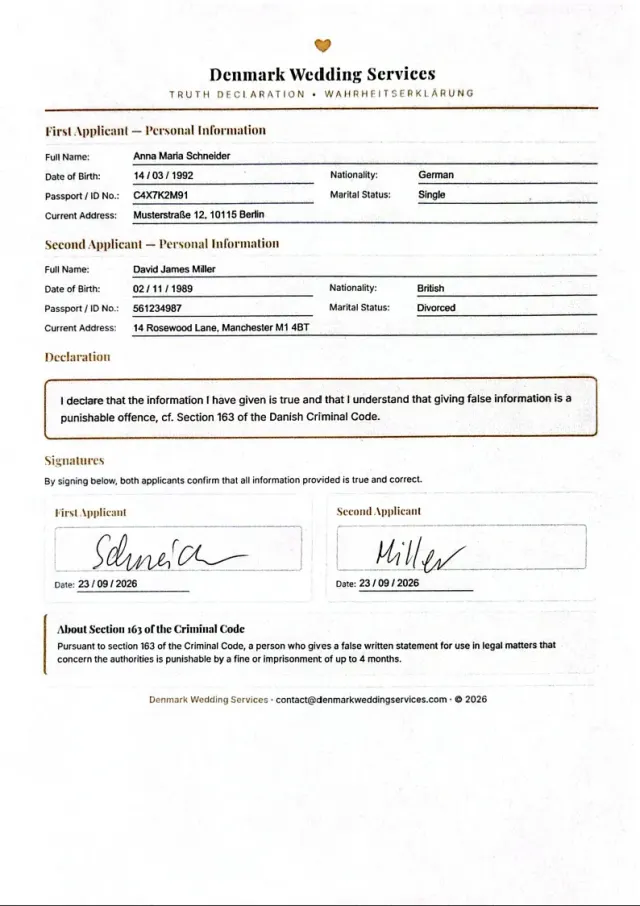
Print them, both sign with a pen, then photograph each page on its own. Life in Denmark is clear that the signature must be made by hand to be valid, and that digital signatures, for example from Adobe or Paint, cannot be used. The rule does not apply if you both apply with MitID; most couples from abroad have no MitID. What the declaration of truth and the power of attorney say is explained in our guide to the forms you sign.
What about the EES printout for a non-EU partner?
Since 10 April 2026 passports are no longer stamped at the Schengen border; the EU Entry/Exit System (EES) records entries and exits instead. Familieretshuset therefore asks a non-EU partner whose entry or exit falls after that date for a printout of both the data page and the result page of the EES calculator, plus plane tickets or boarding passes, and the visa sticker if the partner needs a visa. Upload both pages: a screenshot of only the result page is not what Familieretshuset asks for. Details in our guide to proof of legal stay after EES.
When should we take the photos?
Before you start the application. If you apply yourselves through Familieretshuset's digital form, it closes the case when it has not received both partners' parts within 14 days, and you then apply and pay again. With all photos ready in one folder, filling in the form takes far less time.
What happens if Familieretshuset asks for new photos?
It sends a request for more information, and the case waits for your answer. Where it has asked for more information, Familieretshuset is currently working on applications received in October 2026 (read 23 November 2026). Send the new photos quickly and completely. Familieretshuset works from photos, but it may always ask for further documentation. What such a letter means and how to answer it: Familieretshuset asked for more documents.
How DWS helps
- Comfort Package, €799.00, Danish authority fee included: you upload your photos on your personal upload page, one card per document, and on a phone a step-by-step passport guide walks you through every page and both covers.
- Our check before payment: we look at every photo. If a page is missing, cropped, blurred or hidden by glare, we e-mail you exactly what to retake, and you replace it on the same page. Our check is internal; the decision is made only by Familieretshuset, which may still ask for more.
- We file the application as your representative with a power of attorney, so you never deal with the login or the 14-day window yourselves.
Our upload explainer video shows the photos step by step: in English, in German and in Russian. The video on this page shows how our service works from application to wedding day. See all steps on our process page, the full list in our documents guide, the authority itself in our guide to the Danish Agency of Family Law, or start with the free wedding checklist.
Frequently asked questions about photographing documents for Familieretshuset
Should we scan or photograph our documents for Familieretshuset?
Photograph them with a smartphone. Familieretshuset and Life in Denmark both recommend a photo rather than a scan.
Do we need photos of the blank passport pages?
Yes. Familieretshuset requires pictures of all pages of the passport, including the front and back covers and any blank pages, in colour and of very high quality.
Can an EU citizen use an ID card instead of a passport?
Yes. Familieretshuset then requires pictures of both sides of the ID card.
PDF or JPG?
Familieretshuset asks for photos in their original file format, not compressed and not inserted into a text document. On our upload page we accept photos only (JPG or PNG), one photo per file, no PDF: that is our rule, not Familieretshuset's.
Is a black-and-white copy accepted?
No. Familieretshuset lists black-and-white images among the photos that will not be accepted.
Can we sign the forms digitally?
No. Life in Denmark says signatures must be made by hand and digital signatures, for example from Adobe or Paint, cannot be used, unless you both apply with MitID.
Why does Familieretshuset want several photos of the same document?
Familieretshuset asks for a few images from different angles to help it assess and verify the document, for example its security features.
Sources
- Familieretshuset – Apply for a Certificate of Marital Status – read 23 November 2026
- Familieretshuset – About photos of your passport – read 23 November 2026
- Familieretshuset – About photos of your ID document – read 23 November 2026
- Familieretshuset – Documentation requirements – read 23 November 2026
- Familieretshuset – Documentation of legal stay in Schengen for non-EU citizens – read 23 November 2026
- Familieretshuset – Processing time for certificates of marital status – read 23 November 2026
- Life in Denmark – If you wish to get married in Denmark – read 23 November 2026
Written by Ludmila Bernowski, co-founder of Denmark Wedding Services; reviewed by Shenol Reetz, co-founder. Denmark Wedding Services is not a law firm; this guide is general information, not legal advice. Last checked: 23 November 2026.
Watch Our Video
Follow us on YouTube, Instagram & TikTok for more wedding tips
Ready to Start Your Danish Wedding?
Fill out our free checklist in about 2 minutes — we'll send you a personalized document list and guide you through every step.
Start Free Checklist →